The discomfort from staring at smartphone screens is common among many users. Continual exposure can strain your eyes, leading to fatigue, headaches, and disrupted sleep. Ensuring the right screen settings can drastically minimize these issues and make your screen time more comfortable. Smartphone manufacturers are increasingly aware of this and provide several features designed to reduce eye strain. By using a combination of built-in settings, you can significantly lessen the negative impact your phone has on your eyes. This guide will walk you through various settings and habits to help protect your eyes while using your smartphone. Whether you use your phone for work or leisure, implementing these strategies can enhance your viewing experience while prioritizing your eye health.
Why Eye Protection Settings Matter?
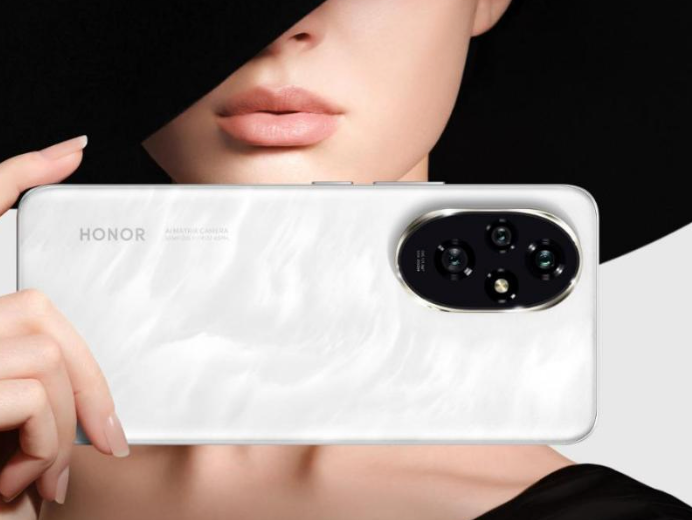
Your eyes work hard when you’re looking at a smartphone screen. The high-energy visible (HEV) blue light emitted by screens has a short wavelength, which can penetrate deeper into the eyes than other types of light, posing potential harm over time. Not only can prolonged exposure to blue light lead to digital eye strain, but it can also disrupt your sleep cycle by inhibiting melatonin production. This underscores the importance of eye-friendly screen settings on your smartphone. Devices such as the HONOR 200 incorporate advanced display adjustment options that allow users to better manage blue light exposure and screen brightness, helping create a more comfortable viewing environment. Overlooking these settings can lead to long-term eye health issues and impact overall well-being.
Best Built-In Eye Protection Settings on Smartphones
Enable Blue Light Filter & Night/Eye Comfort Mode
Smartphones are equipped with blue light filters to help reduce the strain and potential damage to your eyes. Enabling the blue light filter alters the colors displayed on your screen to warmer shades, which are easier on your eyes. Similarly, night or eye comfort modes adjust the screen’s brightness and color settings automatically based on the time of day. To enable these features, navigate to your phone’s display settings and turn them on manually, or set them to activate on a schedule. Both Android and iOS devices offer these options, ensuring that your screen adjusts to the optimal state depending on the surrounding light conditions and time.
Adjust Adaptive Brightness & Color Temperature
Adaptive brightness uses sensors to assess the lighting in your environment and adjust your screen’s brightness accordingly. This feature prevents your screen from being too bright in dark environments or too dim in bright conditions, thus saving your eyes from unnecessary straining. Most smartphones allow you to manually calibrate color temperature as well. Warmer color temperatures are preferable for eye comfort as they reduce the harshness of the blue light. Access these settings through the display menu on your device, and experiment with different levels to find the balance that suits your eyes best.
Use Comfort Features Like Warm Tone and Schedule
Setting a warmer tone for your screen helps to reduce blue light exposure. Many smartphones let you customize the tone to your preferred warmth level. Additionally, scheduling screen settings to change at certain times can automate your eye protection routine. For instance, if your phone adapts by switching to a warmer tone before bedtime, the transition helps in preserving your sleep cycle. Most newer devices have an option to schedule these adjustments; look for features like “Comfort View” or “Reading Mode.” Utilizing these settings ensures a steady eye protection regimen tailored to your daily routine.
Practical Tips for Daily Screen Use
Customize Settings for Day and Night Use
Your smartphone should adjust to your needs, whether it’s day or night. During the daytime, ensure your phone’s brightness is low enough to prevent glare but high enough to maintain visibility. As night falls, reduce the brightness and enable eye comfort settings like blue light filters. These adjustments guard against excess strain and make viewing more comfortable. Manually adjusting the settings for when you are indoors or outdoors can also improve your comfort level. Continually appraising and customizing these settings helps your eyes stay comfortable and healthy throughout prolonged usage.
Healthy Viewing Habits and Breaks
Practicing good viewing habits is as important as using the right screen settings. Regularly observing the 20-20-20 rule can ease eye strain – every 20 minutes, glance away from your screen for 20 seconds at something 20 feet away. Taking frequent breaks not only relaxes your eyes but also increases productivity and focus. Position your smartphone at an arm’s length away during use, ensuring you do not slouch or get too close. This keeps your eyes from working too hard and minimizes strain. Integrating these habits into your routine can significantly contribute to preserving your eye health.
Conclusion
Protecting your eyes from the strain of smartphone screens is achievable with the right settings and habits. By leveraging built-in features like blue light filters and adaptive brightness, and pairing them with healthy habits like regular breaks, you can significantly reduce the risk of digital eye strain. Attending to these small details makes a substantial impact on your overall eye health and comfort. Prioritize your vision by exploring these settings and personalized adjustments, ensuring that your smartphone use remains sustainable and comfortable for your eyes. Remember, small changes can make a big difference in protecting your vision for the future.